The mat, the caption, and nothing else.
Easel puts a photo on a gallery mat and sets the camera, lens and exposure beneath it as a quiet two-line caption, the way a museum label would. Drop in a folder, pick the paper, export JPEGs. Most settings are fixed, on purpose.
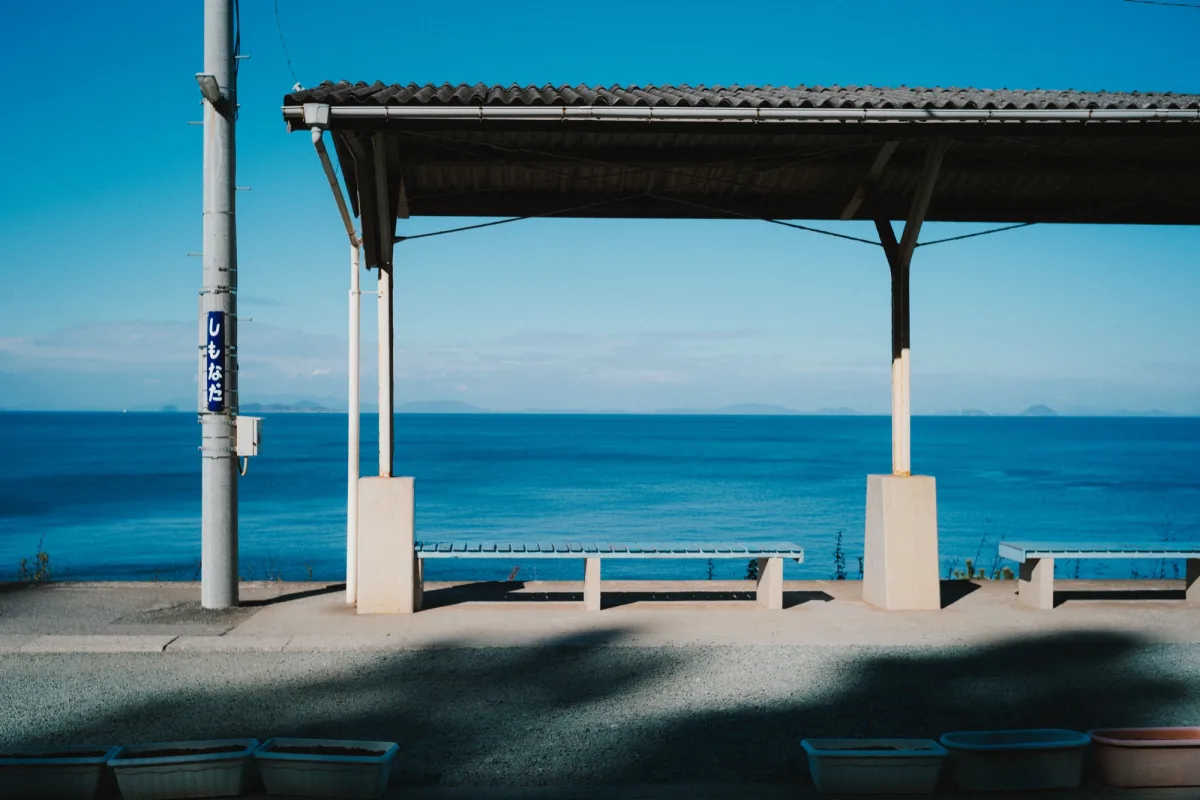
THESE ARE ALL THE CONTROLS THERE ARE
One set of proportions, done properly.
Instead of a hundred templates that each need fixing, Easel keeps one set of proportions and gets it right. Everything happens on your Mac, and your photos are never uploaded. The email sign-in is only for the licence.
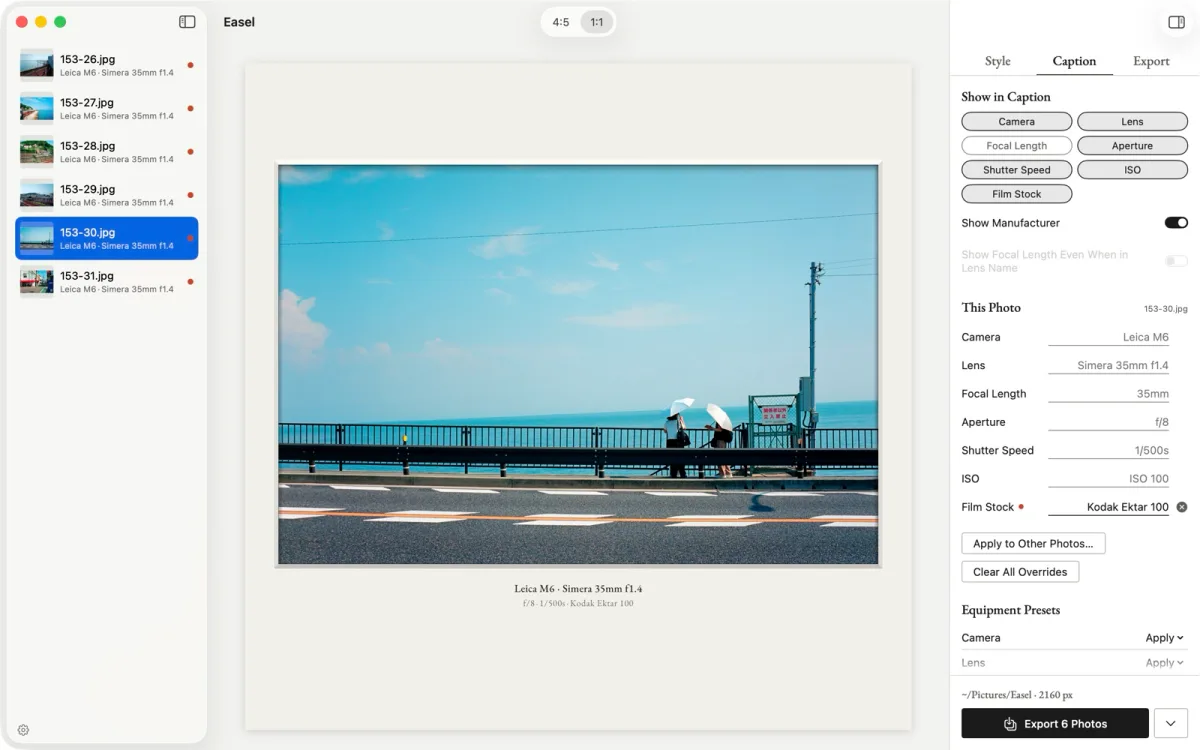
Captions straight from EXIF
Camera, lens, focal length, aperture, shutter speed and ISO are read from EXIF and set like a museum label. The film stock can be shown too. Switch any item off and the gap closes.
Folders, presets, old glass
Drop a folder and every photo lines up in the sidebar. Fix a single caption by hand, or keep equipment presets for film cameras and manual lenses that leave no EXIF and apply one to a whole selection.
What you see is what gets written
Easel never touches the original. The matted photo is written to a new file, keeping its own colour space and profile. The preview is drawn by the same code as the export, so nothing shifts on the way out.
The details
- StylesGallery (mat and caption) and Mat (margins only). Both share the same proportions.
- Ratio4:5 · 1:1
- MarginS · M · L, as 5%, 8% and 11% of the width. The caption always sits the same distance below the photo.
- PaperWhite · Paper · Ivory · Black
Caption colours are set per paper; pure black ink is never used on white. - TypefaceInter (default) · EB Garamond · IBM Plex Mono. Three, bundled, with tabular figures. Size, colour and position are fixed.
- ReliefA white-core bevel around the window and a shallow contact shadow, lit from above. Can be switched off for a flat mat.
- ExportJPEG at 1080 / 2160 / 4320 px wide, quality 0.9. Original colour space and metadata are kept; your caption edits (except the film stock) are written back to EXIF; GPS is removed unless you keep it. Originals are never overwritten.
- InputDrop files or folders anywhere in the window, or open them from the Dock or Finder. JPEG, HEIC and anything else macOS can decode.
- InterfaceEnglish and Japanese. Light and dark appearance. ⌘E exports everything, ⇧⌘E the selection.
- RequiresmacOS 15 or later on Apple Silicon. Native Swift with no third-party dependencies. Developer ID signed and notarized by Apple. Direct download.
Twelve dollars, once.
Less than a roll of film. Priced in US dollars; checkout may show it in your own currency.
- ✓7-day full trial: just an email and a 6-digit code, no credit card
- ✓Without a licence, everything except export keeps working
- ✓No device limit: sign in on every Mac you use
- ✓30-day money-back guarantee, once per customer
- ✓All future updates included, with no upgrade fees
- ✓Developer ID signed & notarized by Apple · direct download
Easel’s licence agreement, privacy policy and seller information are on their own pages.
Questions
Is this the successor to Batch Frame Pro?
Yes. Batch Frame Pro is no longer being developed for Windows and Intel Macs; Easel is its native Apple Silicon successor with a new look. Your old camera and lens presets are imported on first launch.
Can I use it just to add a white border?
Yes. Choose Mat and you get the margins without the caption, in 4:5 or 1:1, on White, Paper, Ivory or Black. Choose Gallery and the same border carries the EXIF underneath: camera, lens and exposure, the kind of frame people call an EXIF frame.
Can I change the font size, colour or position of the caption?
No, and that is deliberate. You choose the ratio, the margin, the paper, the typeface and which items appear. Size, colour and placement follow rules worked out against real prints, so every export looks like it belongs on the same wall.
I scan film. What goes in the caption?
EXIF describes the scan, not the shot: a camera scan carries the scanning body, lens and exposure, and a lab scan carries the lab’s scanner. To show the shot’s details instead, write the camera, lens and exposure into EXIF beforehand, or set them in Easel, either per photo or across a whole roll with an equipment preset. The film stock is entered in Easel, by hand or from a preset.
Does Easel touch my original files?
Never. Exports are written as new files named after the original with the ratio added (DSCF0012_4x5.jpg, for example), and an existing file is never replaced; a numbered suffix is added instead.
Does it need an internet connection?
Only for the licence: signing in with your email, and a brief check now and then. Once signed in, Easel keeps working offline for 30 days between checks. Your photos never leave your Mac.
Put the photo on a mat, add what it was shot with, and export.
$12, once. Try it free for 7 days first.
Developer ID signed · Notarized by Apple · Stripe checkout · 30-day money-back